
June was $559. July was $4,692.94
My AI bill jumped 8.4x in one month. The useful question is what the spend replaced, accelerated, or made possible.

Everyone shows you their tools. Nobody shows you the invoice.
I used to keep the hard work for myself. The tools got the leftovers. Clean this. Check that. Nothing I would have stayed late for.
Then they got good enough. I handed them a real job.
The bill showed up a month later.
The $4,692.94 receipt
Here is my July bill, straight from my books.
| Company | July |
|---|---|
| Anthropic | $3,609.59 |
| OpenAI | $753.15 |
| Nous Research | $110.00 |
| Plastic Labs | $100.00 |
| Cursor | $63.96 |
| OpenRouter | $56.24 |
| AI Tokens total | $4,692.94 |
Anthropic makes Claude, my daily driver. OpenAI makes Codex, which handles isolated build work and review. Nous Research makes Hermes, my always-on agent. Plastic Labs makes Honcho, which carries shared memory between tools. Cursor is the editor. OpenRouter lets me try other models through one bill.
The longer list, including prices and the tools I quit, is on my tools page.
This is the combined bill across several companies and accounts.
A token is how those companies meter the work. The tool reads text. The tool writes text. Each of those steps has a price. The invoice is the sum.
I also pay for software that is not billed by usage: Grammarly for writing, Ghost for publishing this newsletter, and Xero for accounting. Those costs sit on a separate Software Subscriptions line. X, the social network formerly called Twitter, cost $8 in July. It is not part of the $4,692.94.
The same line in my books was $276.76 in April, $393.52 in May, and $559.40 in June. Then July hit $4,692.94.
That is an 8.4x jump in one month. It is not a vibe. It is in the books.
What changed in July
I did start using the tools a lot more. Real jobs. Whole slices of a build.
The tools crossed a line.
Two of the main tools got much better that month. That mattered because I was already using them on real client and product work.
The heavier use and the heavier workload are the same story. I did not have a quiet July that suddenly got expensive. I had a busy July that finally had tools that could keep up.
What actually shipped

I am not going to ask you to take the "value" part on faith.
GitHub is an online workspace where software teams store code, track changes, and review work before it ships. I use it as my work log.
A pull request is one of those packages. I will call it a PR after this.
- An issue is a written request for work.
- A commit is a saved change.
- A line is one line in a file.
The log combines personal work with work across my clients.
| June | July | |
|---|---|---|
| Packages sent in (PRs opened) | 24 | 912 |
| Packages shipped (PRs merged) | 19 | 843 |
| Written requests (issues) | 1 | 916 |
| Saved changes (commits) | 178 | 1,002 |
| Lines added | 16,839 | 383,355 |
| Lines deleted | 9,298 | 85,025 |
Most of the July output came from client work: 805 packages shipped. My products accounted for another 38. I left out 400 automatic backups because backups are not output. The line counts come from packages that closed that month.
The separate client work log started on June 28. It recorded two packages in the last three days of June, then surged in July.
GitHub can list a tool as a co-author, which means the tool helped create the saved change. A lot of my July work has one. That is the point. I stopped using the tools for crumbs and started using them as peers. The name on the work is still mine.
If you only have the invoice, $4,692.94 looks like a leak. If you have the log, it looks like a month of work I could not have shipped alone. That changed how I read the bill.
How far outside a normal month this was
GitHub does not define a normal month, so I looked for a benchmark.
Graphite makes software for teams that build on GitHub and publishes research on how they work. Among people who ship most weeks, the middle of the group ships two packages a week, or about eight or nine a month. A typical package has 47 lines.
My July total was 843 packages shipped, about 100 times that benchmark. My average package was also larger, with about 556 lines changed.
That comparison has limits. Pull requests vary in size, and GitHub counts generated files alongside files a person wrote. The log shows unusually high throughput. It does not prove that I became 100 times more productive or earned a clean dollar-for-dollar return.
I am not going to invent a salary and call it a return. I have the bill, the work log, and the two-packages-a-week benchmark. The spend is unusual. The output is too.
Before you call the bill expensive
Most people are not going to build a spreadsheet for this. You do not need one.
Think about what you spent on AI last month. A rough number is enough. Then pick one thing the tools helped you finish and ask what it would have cost without them.
Would it have taken your nights or weekends? Would you have paid an employee, freelancer, or agency? Would it have waited another month because nobody had time?
Do not force a fake return on investment. The honest answer might be, "I spent $300 and mostly played with it." That is useful to know.
But if that same $300 saved a week, helped you finish work you kept avoiding, or let you take on something you otherwise would have declined, the invoice is only half the story.
The useful question is not, "Was AI expensive?"
It is, "What did the spend replace, accelerate, or make possible?"
Steal this: edit the file
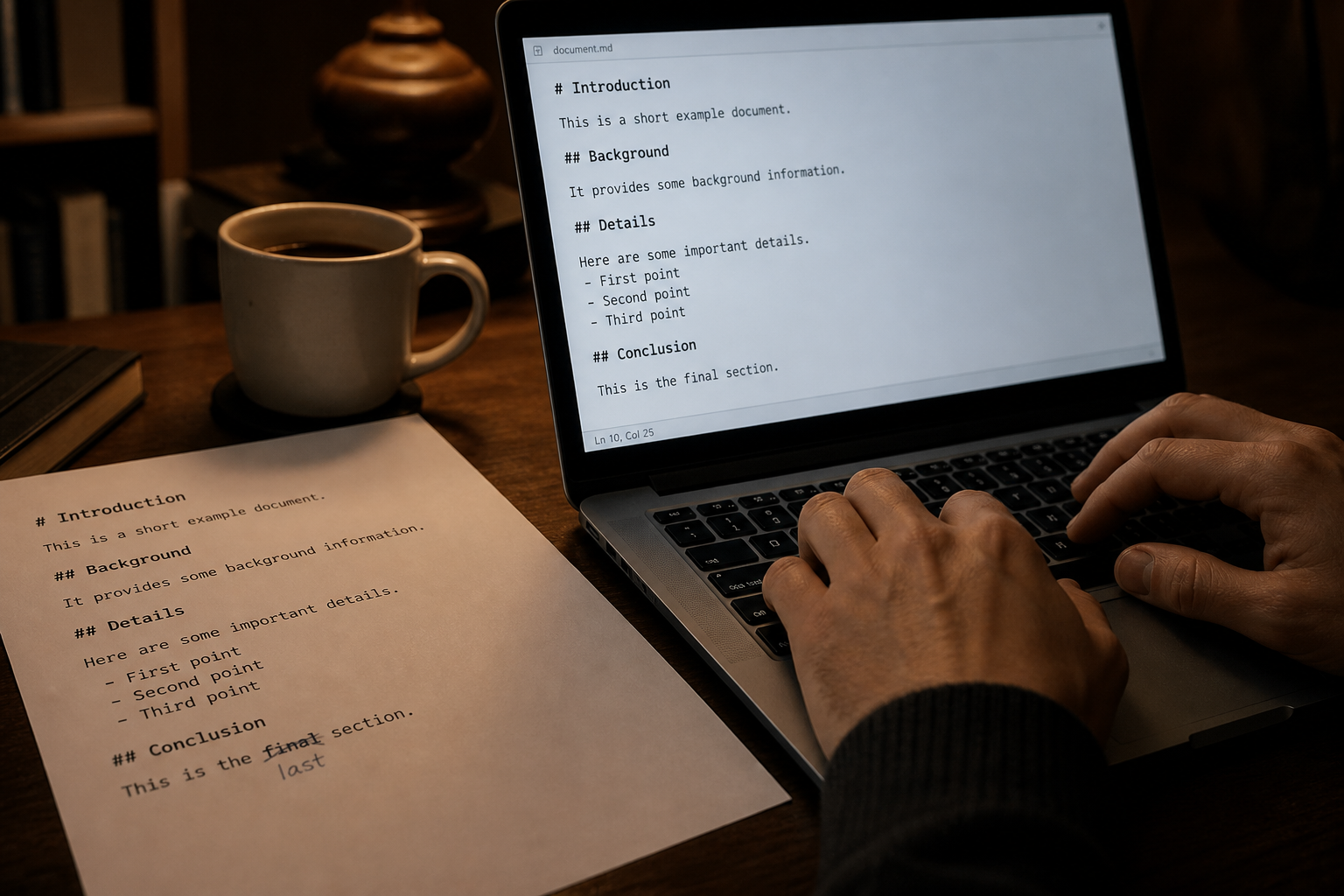
That value question works at the month level. The same logic works one edit at a time.
Most people do not realize how much of AI runs on plain English.
A Markdown file is just text with a few marks that tell software what is a heading, list, or link. A skill is just a file of instructions that tells an agent how to handle a kind of job.
That changes what deserves another trip through the token meter.
If the tool writes the wrong name, fix the name. If a sentence is clumsy, rewrite the sentence. If you want a heading to look larger, change its heading level yourself. Do not ask AI to reread the whole document for a change you can make in ten seconds.
Use the tool when the work needs scale or judgment.
- One obvious change in one place: edit it yourself.
- The same change across many files, with rules about what to keep: use the tool.
- A new section, a missing argument, or a check you cannot do in your head: use the tool.
The point is not to avoid AI. It is to spend the tokens where they buy reasoning, reach, or speed.
That handles the small leaks. Client work creates a different problem: control.
The risk behind shared AI accounts
Once AI is doing real client work, the bill is not the only thing that can get away from you. You also have to control where the work runs, what it can see, and whose allowance it uses.
I used to work in film. When a shot had real fire, the firefighters were already on set. Before anyone lit the first cue. Specialists. They knew how to keep a planned burn planned. They knew what to do when it stopped being planned.
AI can make the fire bigger. A job that used to take a week can land before lunch. That is the rush.
I still want the firefighters on set.
Turning the tools on is easy. Using them without burning the next client's week is the job. The tools got faster, and mixing work across clients got easier. Keeping them apart got harder. One shared login and every job drinks from the same tank.
There are two prices. A subscription gives you a monthly allowance for a fixed price. Usage beyond that allowance hits the token meter. The tool reads, the tool writes, and you pay for each step. When the allowance is gone, the price jumps.
One client can empty the cheap pile. Then everyone else is on the expensive meter, or locked out for the rest of the month. Their bills sit on the same card. Their files sit in the same chat. So do the passwords and the keys. The work they paid you not to show anyone else is sitting there too.
That is why I split client work across accounts and environments. The boundary reduces the chance that one client's spending or context spills into another's. It also creates friction.
The tradeoff: one account per client

A separate account for each client has real advantages. The bill is easier to explain. One client's usage does not consume another client's allowance. Their files, chat history, and vendor-side context are less likely to mix.
The downside is friction.
Most desktop apps let you use only one account at a time. Switching clients can mean logging out, logging back in, and checking that the right files and credentials are active. More accounts also mean more billing, access, and configuration to maintain.
I solve part of that by moving repeatable work into separate cloud environments. I can open each environment through a different browser session, but the work does not depend on my computer staying open. Client automations keep running in the cloud when my laptop is closed.
I also use agent harnesses such as Hermes and OpenClaw. A harness is the software layer around an AI model. It holds the instructions, tools, credentials, and automation schedule. One harness can run several client configurations at the same time without forcing every client through one shared login.
I keep the same boundary around credentials. Everything lives in 1Password, but each client has a separate vault. It is one place for me, with a clear wall between them.
Each client also has a central project in GitHub and Basecamp. GitHub holds the technical work and history. Basecamp holds the decisions, tasks, and collaboration. Whatever agent or tool is working, it starts from the same scoped project and leaves the work where the team can find it.
That setup takes more work to maintain. It also gives each client a clearer box for spend, data, and automation.
Not everyone needs it. If you have one account and one project, keep it simple. Separate environments start earning their keep when several clients, budgets, credentials, and background jobs would otherwise share the same box.
If you switch tools: memory is a file
The account split only works if the work does not live inside the vendor.
When I run a tool from my own computer, the project context lives in files on disk: notes, decisions, the current draft, and the code. The model may still run in the vendor's cloud.
I keep an Obsidian vault and mirror its folder structure across my projects. Obsidian is a notes app built on folders of plain-text files. The shared context for me and each project has a clear home, so an agent can enter a project folder and know where to find the brief, decisions, drafts, and working files.
Notion can do much of the same job. It has a strong CLI and an AI-friendly toolset, so agents can work with structured pages and databases. The tradeoff is that you do not get the same folder of real offline files. For me, that local file layer is why Obsidian wins.
Log out. Log in. Switch tools. The files are still there. The code is still there. I did not move a brain. I changed which billing account is attached to the work.
If the memory lives in the chat, you are stuck. You will not change accounts. You will not change tools. You will pay the old login because the old login "knows the project."
Put the project on disk.
- One folder per client.
- A short file that says what this job is, what "done" looks like, and what not to touch.
- The working files next to it. Drafts. Specs. Code.
- Point the tool at the folder. Do not point it at a six-month chat.
Now a new login can do the job. A new tool can do the job. You are not renting a memory you cannot export.
What the bill taught me
$4,692.94 is not a small cash expense, and I did not type 100 times more than a normal person. The work log grew because the tools were inside the work.
July was the month I stopped using them for crumbs and started using them as peers. The invoice followed the work.
The more paint you get, the more paint ends up on the canvas. The work now is deciding what to take away.
You do not need my full setup to start. Compare what you spent with the time, money, or delayed work it replaced. Then decide whether the bill bought real leverage or just more software.
Want help making the spend pay off?
If that comparison exposes a real operating problem, I have one September seat open. It is for a company that wants to improve one revenue, time, or cost system.
The engagement is $9,500 a month for an initial three months, including one 90-minute working session each week. We work on the real system, not a slide about it.
Reply with the problem and the number you want to change.
P.S. This post was written with GPT-5.6 Sol through Hermes and Slack. A Grok bot helped create the images and gave it another review. Every's Proof gave the human and agents one shared editing room.